



Best AI Hip Hop Music Video Editor: Lyric-Sync And Auto-Beat Cuts Tested
 Story by:
Music Blog
Story by:
Music Blog
The track and the mix were done. Now it’s time for the visuals, but getting them professionally shot will probably blow your indie budget. The good news is that thanks to modern AI music video generators, the track you just completed can be turned into a fully produced video faster than you can pour yourself another cup of coffee. In the world of rapid hip-hop production, the availability of AI video editing software that understands BPM, vocal timing, and transitions starts bringing the audio and video worlds together without hindering your process.
During the last month, we’ve tested 7 different platforms for making hip-hop videos by trying to create a video for a 140 BPM verse, analyzing beat-matching capabilities, lyrics synchronization abilities, and the reaction to main musical components like drum, bass, and vocals. There was only one tool that impressed us, Neural Frames, an AI-powered music video generator, that allows isolating stems and mapping them to movements, cuts, and color changes in sync with the beat. In the following pages, we’ll share scoring rules, rankings, and highlight tools that provide lip-sync quality out of the box.
How We Ranked The Editors
We tested every editing platform using the same stopwatch, delivering the same 140 BPM verse through the same studio monitors. The speedy triplets made the AI editors work in tempo whenever the flow got acrobatic. Our ratings criteria included six different elements. The importance of lyric sync accuracy rated highest with 30 percent, since a tool either syncs lyrics on the beat or fails. Next was beat-matching and cut timing, 20 percent each, since a misplaced snare drum breaks up any flow.
The look and versatility of visual styles scored an additional 20 percent for tools capable of transitioning between gritty street and anime visuals flawlessly. Speed and usability came next at 10 percent, because nobody wants to fight a user interface while staying awake past midnight. Value versus cost counted 10 percent, considering budgetary constraints outweigh raw prices. The final category of 10 percent included output flexibility because today’s flyer is the vertical short video. We modified the scoring system of the FilterGrade 2026 tests by weighing each score from 1 to 10 and adding up the results.
1. Neural Frames: Audio-Reactive Visuals On Autopilot
Neural Frames feels like a personal video director. Drop your track, pick a vibe, and the engine returns a finished cut before the chorus ends. The tool pulls eight stems from the song so you can map drums, bass, or vocals to separate visual cues. Independent testers praise its audio-reactive precision, a claim our own run confirmed on the first pass. Usage stats on the platform’s ai music video generator dashboard show more than 2 million videos created by over 40,000 artists since 2023, evidence that the wider music community is already putting those reactive chops to work.
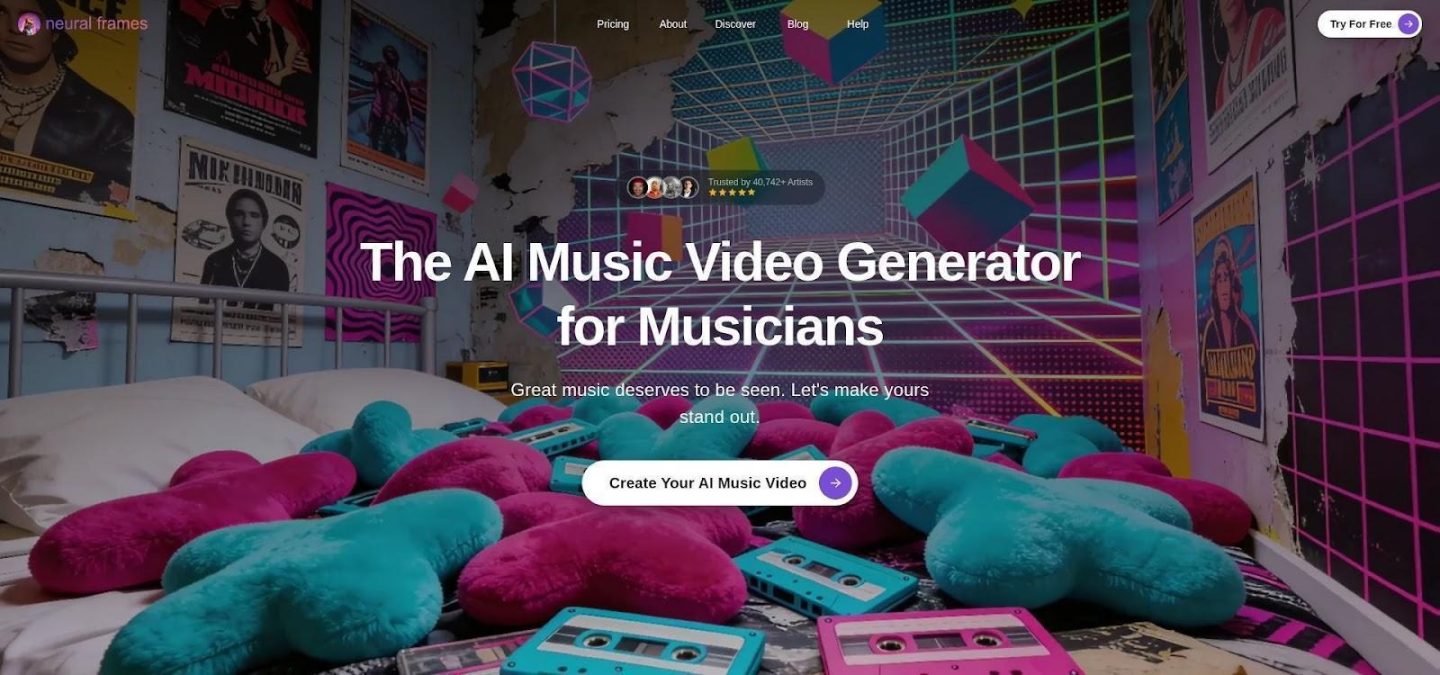
The music drives the on-screen action. Backdrops pulsate, flash, and move to the beat. If you type “graffiti midnight alley” or “lo-fi anime city,” the AI keeps that universe consistent throughout the video. Many lo-fi and boom-bap producers keep the website open in their browsers when exporting audio files. It’s fast enough. An HD video render of three minutes takes around eight minutes on an average computer, leaving time for trying out different color schemes, regenerating the chorus, and then publishing before your subscribers finish eating their lunch.
Pricing is straightforward. The $19 per month plan supports endless 1080p renders, whereas the $99 per month plan unlocks 4K resolution. A 20-second free trial enables you to test quick rap verses without paying a dime. If you’re looking to spam YouTube with music-focused videos, bypassing the timeline altogether, then this is the platform for you. Your rhymes require visual support that respects their rhythm. No other contender in this review gave your lyrics more respect than Neural Frames.
2. Freebeat: One-Click Videos For High-Volume Releases
Freebeat is built for hustle. Paste a SoundCloud or YouTube link, pick a mode, and the platform edits a full video that lands on every snare.
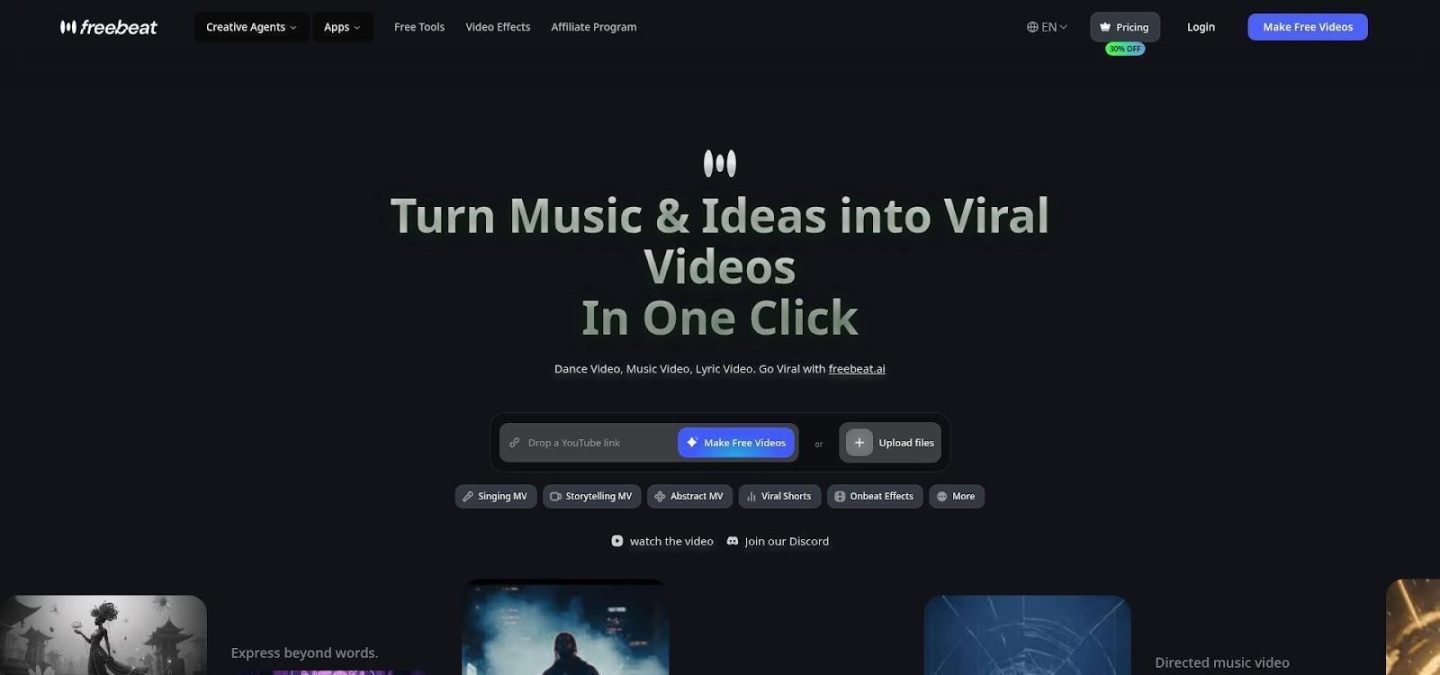
The software has been programmed for six pre-configured modes, which account for the majority of releases. The Singer MV creates a virtual vocalist, Lyrics Video adds synced captions, while Abstract and Storytelling set the mood. The Dance mode emphasizes short-form content, while Viral Shorts creates 15-second clips. These modes rely on the same architecture, which analyzes BPM, verse breakdown, and drop timing before constructing scenes or syncing lyrics. It also reflects how tools are evolving alongside the first-ever AI producer model, where production and visuals start to move in the same direction. The numbers speak for themselves. According to Crepal.ai, the lip-sync accuracy rate exceeded 90 percent in tests. During our demo session, the avatar’s lips shut for all hard consonants, adding to the realism of the performance.
The rendering speed is in line with the modern output of songs as well. The creation of a three-minute song took less than six minutes at 1080p resolution, including beat-synced scene changes and title cards. If you are not satisfied with one of the sequences, you can simply swap its theme or regenerate the part. Pricing begins with a free plan, which comes with a clean test export. When you’re paying less than ten dollars per month for unlimited 1080p rendering, you’ll be able to release music regularly without worrying about your budget. If you are an independent artist releasing music regularly, Freebeat is right where your production process should be.
3. Vibemv: Storyboard Control With Stage-Ready Avatars
VibeMV acts like an AI cinematographer that listens to your song, splits it into scenes, and hands you the director’s chair. It slices the track into intro, verses, and hooks, then proposes visuals for each part. Accept the storyboard or swap scenes until every bar feels right.
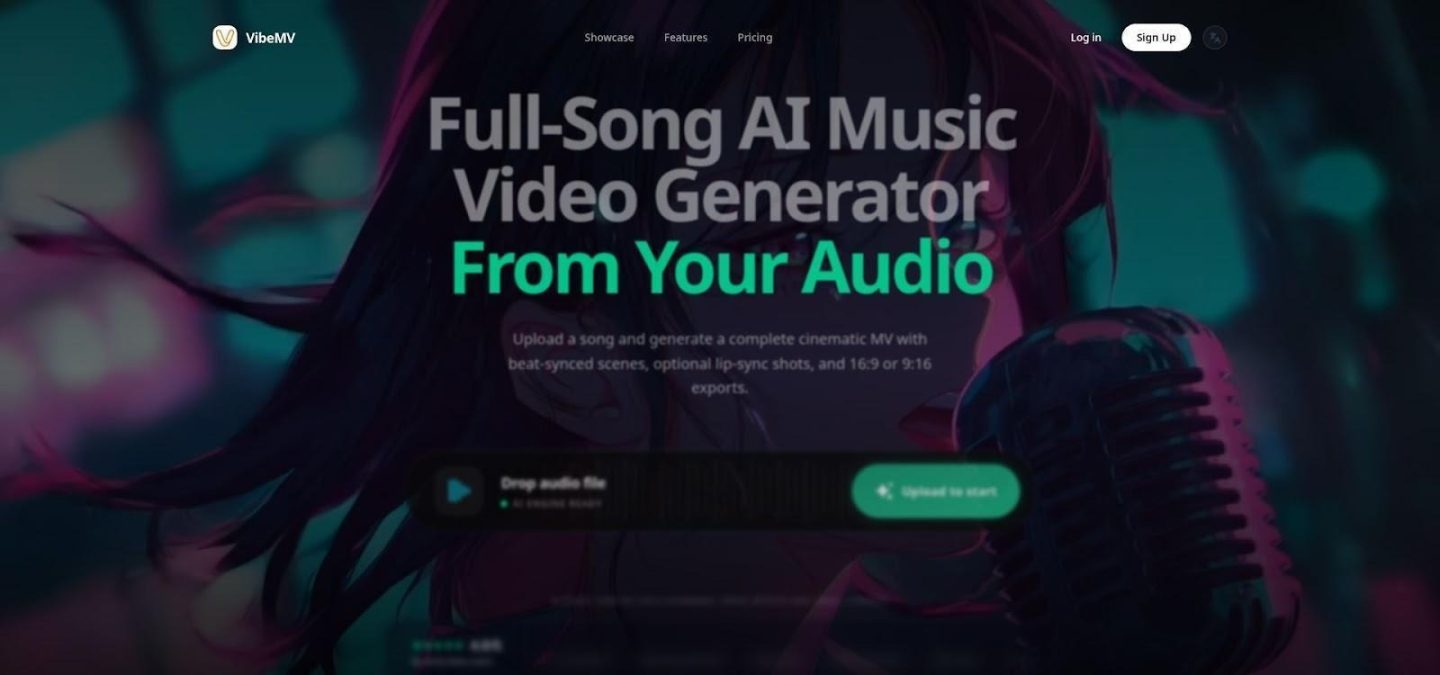
Its main selling point is the lip-sync avatar. Choose from a gritty comic book anti-hero, a colorful anime-style singer, or a silhouette, and VibeMV will lip-sync to the track, matching mouth shapes shot by shot. We tried out double-time verses and found that the plosive sound closed the lips. You sell a live performance with no camera required. VibeMV isn’t limited to the performer. Want to set scene changes? Change a line’s setting by clicking the segment, typing the prompt, and regenerating. Changes respect bar lines, so cuts always sync up perfectly with the chorus.
The export options are offered in both portrait and landscape ratios, making it perfect for both YouTube and TikTok uploads with one download. Export rendering time is middle-of-the-pack at around ten minutes for a four-minute HD video, but the added freedom makes up for the wait. Free access lets users test short clips, while the paid plans begin at $19 a month. They remove any limitations and allow up to five minutes of video. VibeMV is made for those who storyboard their tracks and need an avatar that never misses a practice session.
4. Revid: Rapid Iteration For The Tweaker In All Of Us
This program seems to have been developed for people who view images as an inseparable part of creativity, rather than as an extra finishing element. As soon as the user uploads the audio file, the software makes a quick mock-up of the clip and starts playing it right away, perfectly synchronized with the music, beginning with the very first bar. Unhappy with the scene produced at the eighth bar? Then you can modify the image halfway through the playback – it isn’t necessary to render the whole sequence to ensure that the new image fits into the beat grid. Being able to see the result of several options right away is the key point here. In this case, it takes roughly as much time to test six images as it would take for another software to generate one mock-up, and this is especially important when it comes to creating a visual performance to a song, where six looks per emotional moment must be tested.
Presets used for hip-hop songs contain urban scenes, a flashier graffiti-style color palette, and abrupt cuts. The pricing is based on a subscription service that starts from $39 monthly for Hobby. As far as creators post content regularly or explore various options for their music video, having credits each month allows trying out without any additional fees per export. At the same time, there is always the cost of precision in exchange for flexibility. Revid’s auto-sync feature remains accurate, although manual adjustment helps to fine-tune cuts and captions. This platform is ideal for those musicians who value efficiency and productivity in creating content.
5. Kaiber: Turn Artwork Into Motion Picture Poetry
Unlike other tools, Kaiber does not employ the use of templates and avatars; the application ensures pure design freedom. Upload a cover art, a drawing, or even your photograph, and the app will bring to life all your brush strokes. In trials conducted, it transformed a graffiti into a cloud of neon-colored vapor pulsating in synchronization with the beats of the music, all in response to a single prompt. Musicians who intend to establish their identities through their songs can make use of Kaiber to incorporate visuals as an addition to their tracks. The artist controls the design of the visuals through the direction of how the visuals are designed. Directions like “move from dusk to midnight when the bass comes in,” accompanied by timestamps, ensure that the animations synchronize with the composition of the song.
The visuals developed by Kaiber are highly artistic and will be perfect for making videos out of music compositions; hence why some professional musicians have employed this software in developing official releases. The software does not have an automatic sync of the lyrics feature. This means that the entire process of syncing will require you to do things manually, but then there are some benefits that you will derive from this, because you can make different styles. Your scenes will be closer to those created in motion graphics if made in resolution 1080p and above. Starting from only $5 per month, it will suit you if you need something for making short videos and loops. For making music videos, you’ll require extra computing power.
6. Runway: Cinematic Clips When You Want Hollywood, Not Stock
Runway is not just a music-video generator; it feels like a film set in your browser. When searching for “slow-motion crowd running through rain-splashed alley,” Gen-2 generates footage as though it were filmed by RED. Light bounces properly off shiny surfaces; lighting follows its natural path; motion remains seamless without the elastic quality of previous versions. Maximum render time is limited to around ten seconds, meaning you piece your scenes together as though they were Lego blocks, arranging them within Runway’s timeline or exporting them to Premiere. But the additional work pays off.
According to a TechRadar experiment, people were able to tell AI footage from the real deal only 57.1 percent of the time, implying that most users are incapable of distinguishing the two types. Throw a couple of these in among your live action scenes, and immediately make your video seem twice as professional and expensive. Subscriptions cost $12 monthly with a generous amount of credits, but the bigger your project, the more tokens you’ll need. Want a drone swooping in for an aerial view above neon-lit cityscapes or a dystopian skyline imploding into chaos? Runway is your go-to tool for crafting that effect quickly without permits or pyrotechnics. If your work involves editing real footage and AI-generated B-roll, adding that extra cinematic touch is essential.
7. Rotor Videos: Real-Footage Vibes On A Shoestring
Rotor is the pragmatic cousin in this lineup. Instead of inventing scenes, it taps a vast stock library, matches clips to your keywords, and slices them to the drum pattern. The outcome looks like you hired a b-roll researcher and an editor for the day. Workflow is painless. Upload your MP3, type a theme such as “Midnight City,” pick an edit style, and watch Rotor preview a full cut within minutes. Because every source clip is stock, the footage feels lived in, which suits gritty boom-bap or reflective storytelling where realism sells the verse.
Revisions stay free while you preview, so you can shuffle shots until the pacing clicks. When the cut is locked, pay about $9 for a short promo or around $27 to download a full-length watermark-free HD master. There is no monthly fee and no silent charge during creative droughts. Rotor will not win awards for uniqueness, and it will not animate lyrics, yet if your camera budget is zero and you need a respectable visual by Friday, this is the quickest route to a press-ready upload.
Quick-Scan Comparison Table
You just met seven distinct personalities. Keep this grid handy; it shows at a glance where each tool shines and where it merely shows up.
| Tool | Lyric sync | Beat cuts | Visual range | Max res | Free test | Starting cost | Best use |
| Neural Frames | Smart Lyrics feature | Audio-reactive motion | AI-generated art prompts | 4K | 20 s clip | $19/mo | Audio-reactive visuals |
| Freebeat | 90%+ lip-sync avatar | Full-song auto edits | Six video modes | 1080p | Yes | $10/mo | Weekly single drops |
| VibeMV | Character lip-sync | Segment-based cuts | Scene-by-scene prompts | 1080p | Short clips | $19/mo | Story-driven visuals |
| Revid | Word-level (manual tweaks) | Template beats | Stock + generative mix | 4K | Low-res preview | $39/mo | Rapid iteration |
| Kaiber | Manual | Manual | High-end style transfer | 1080p | Demo frames | $5/mo | Animated art pieces |
| Runway | Manual | Manual | Photoreal AI scenes | 720p+ | Trial credits | $12/mo | Cinematic inserts |
| Rotor | Basic lyric mode | Auto montage | Real stock footage | 1080p | Unlimited previews | $9/short promo | Budget realism |
The Right AI Video Flow For Your Track
Refer to this flowchart as your guide when selecting which AI video flow is best suited for your track. In the event that precise timing is among your top requirements, you’ll want to consider the left-hand side, where beats match perfectly, lyrics are synchronized precisely, and optimized music video synchronization occurs seamlessly. However, if visual flair and cost flexibility are more important, you will have to look towards the right-hand side and pair it with your preferred release format. For those planning a consistent music drop schedule, selecting the right AI video flow will ultimately be dependent on the process you use to create content, whether it’s fast, seamless, or visually driven.


Comments 0
No Readers' Pick yet.